Introducing Empire 5.0 and Starkiller 2.0
The original goal of Empire 5.0 was to only introduce a better v2 REST API to deal with some shortcomings of the original API found while building Starkiller and the new client. When Vinnybod started building the new API, it required a “few” changes to the core codebase that began to spiral, and before long, it started to become a fairly large refactor.
So what is Empire 5.0? Well, for the most part, it is a new REST API for Starkiller, the client, and any other third-party integrations to use. But it’s also a better foundation for features, testing, and the longevity of the codebase. Empire 5.0 is not a massive change for end-users like 4.0 was with the new client. Ironically, it was much more effort and time than Empire 4.0, with the major additions in 5.0 being:
- A more pragmatic v2 API with consistent naming and an OpenAPI spec
- A test suite of over 200 tests
- Major refactoring of the server codebase
- Enhanced logging
- MySQL support
- Starkiller as a web app
- Several new features and enhancements in Starkiller
Starkiller Web Application
Previously Starkiller was packaged with ElectronJS, a tool that enables you to write “native” applications using web technology.
It is now a plain web application that can run in the browser and doesn’t need to be “installed.”
It is pre-packaged in Empire as a git submodule and available via Empire’s API. When the Empire server loads, you should see a log message like this:
Starkiller served at http://localhost:1337/index.html
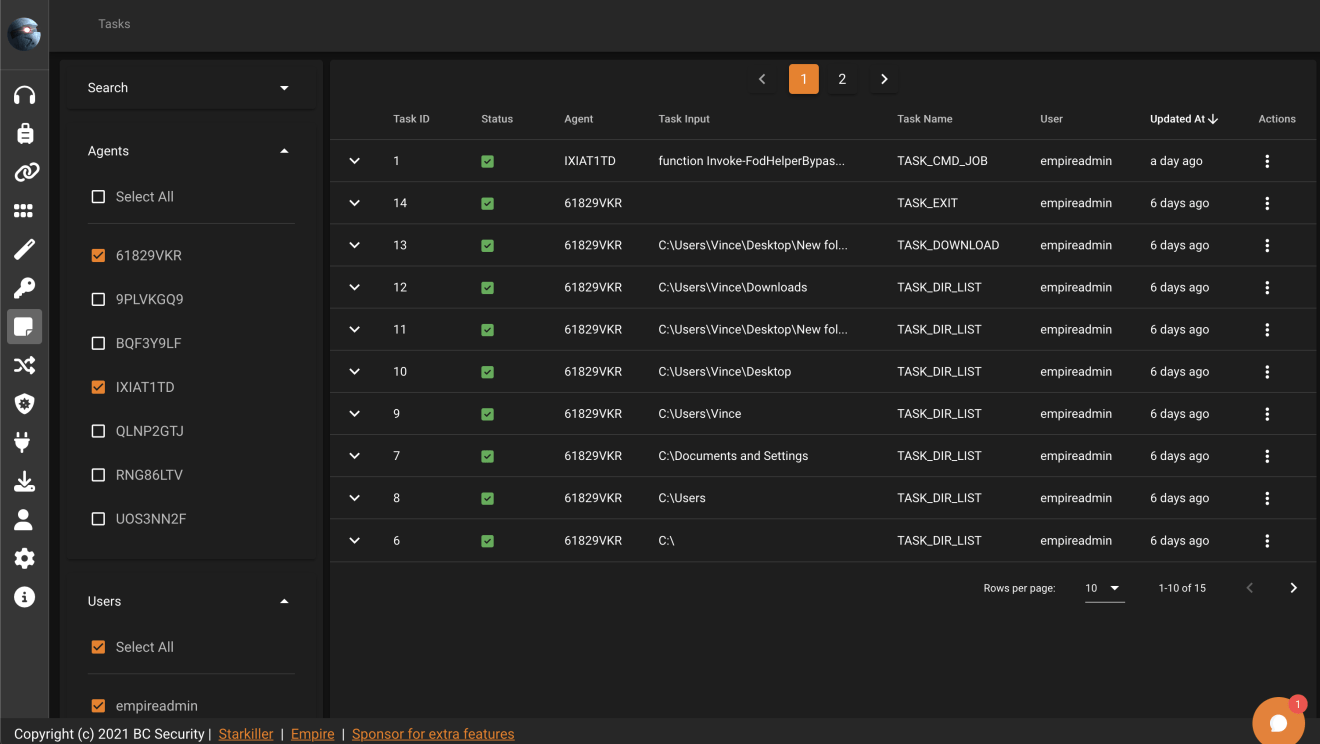
Tasks – Advanced filters, backend sorting, and filtering.
Previously the tasks endpoint would start to get slow as more and more tasks were added to the database. With the new API, the filtering, sorting, and paging available in Starkiller is performed by the backend. This makes the page load way faster, even with thousands of tasks.
Turn listeners on/off and modify them
Listeners can now be turned on and off through the API and the options can be modified.
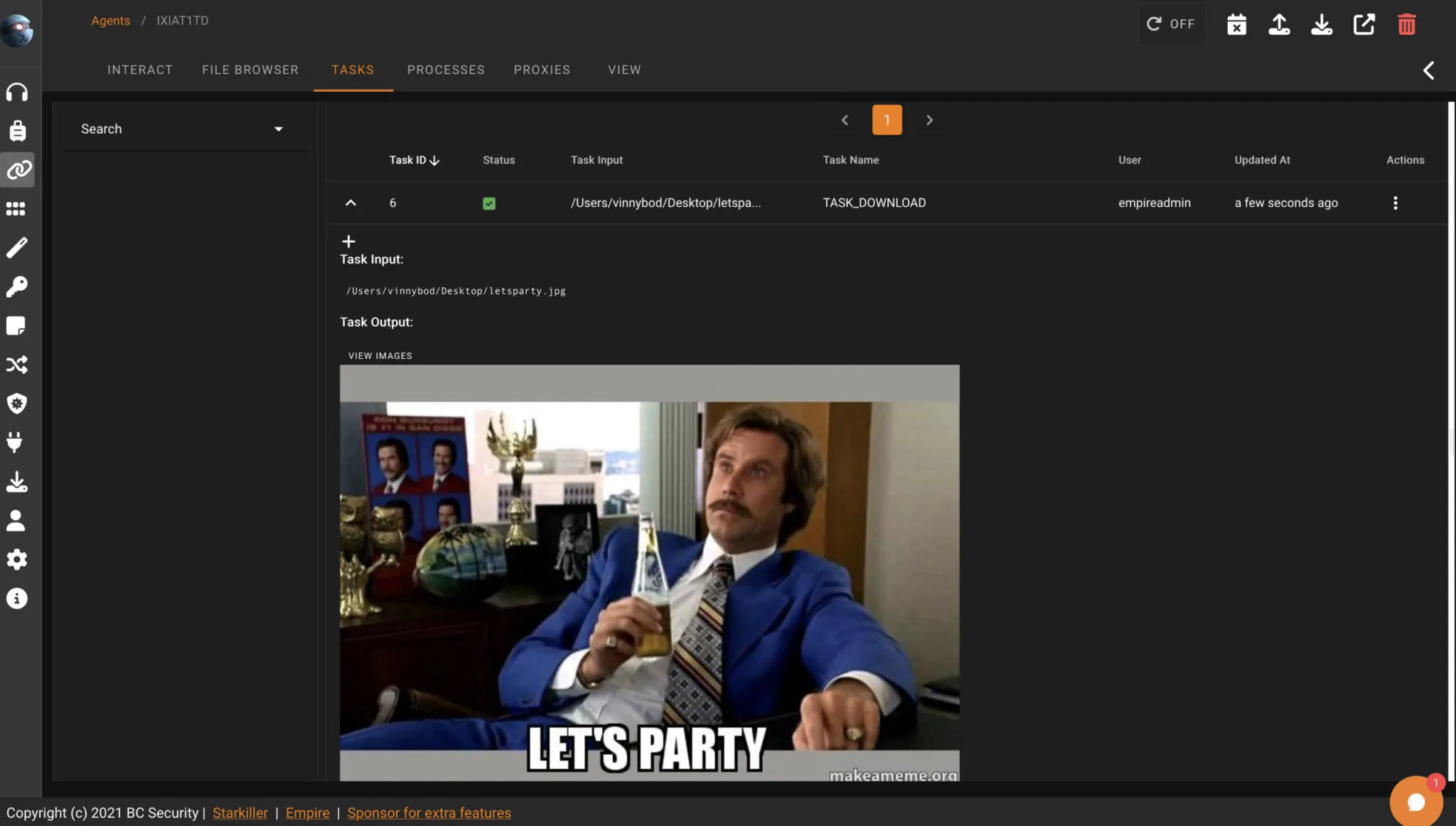
Preview images on agent tasks view
If an agent downloads an image, there will be a preview button to view them directly in Starkiller.
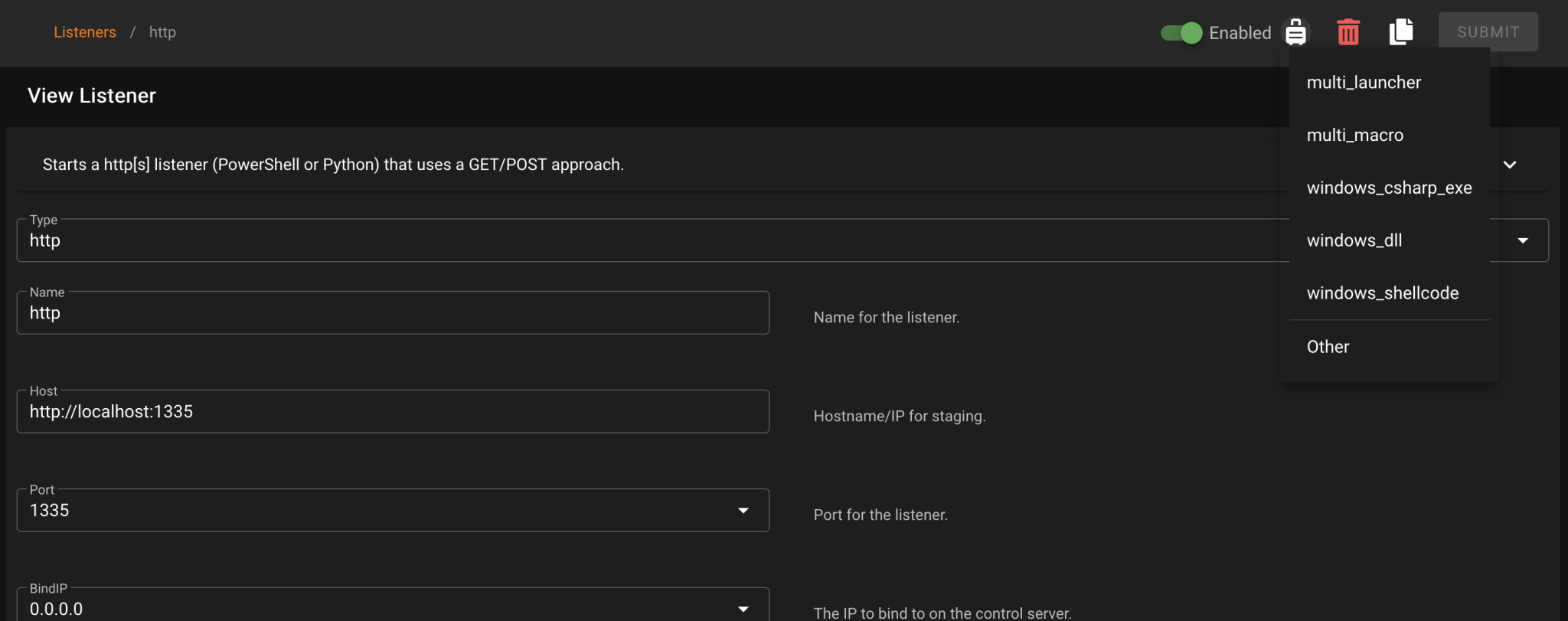
Generate stager from the listener view
After creating a listener, there is now a dropdown on the header that will bring you to a pre-populated stager.
Downloads page
“Downloads” have been expanded quite a bit in Empire 5.0. It is more of a general use for server generated files. Here you will find files downloaded from agents and previously generated stagers. If you want to upload a file to an agent, it will also appear here before being sent to the agent.
Obfuscation page
Both keyword obfuscation and global obfuscation can now be managed via Starkiller on the new obfuscation page. Global obfuscation is now configured by language.
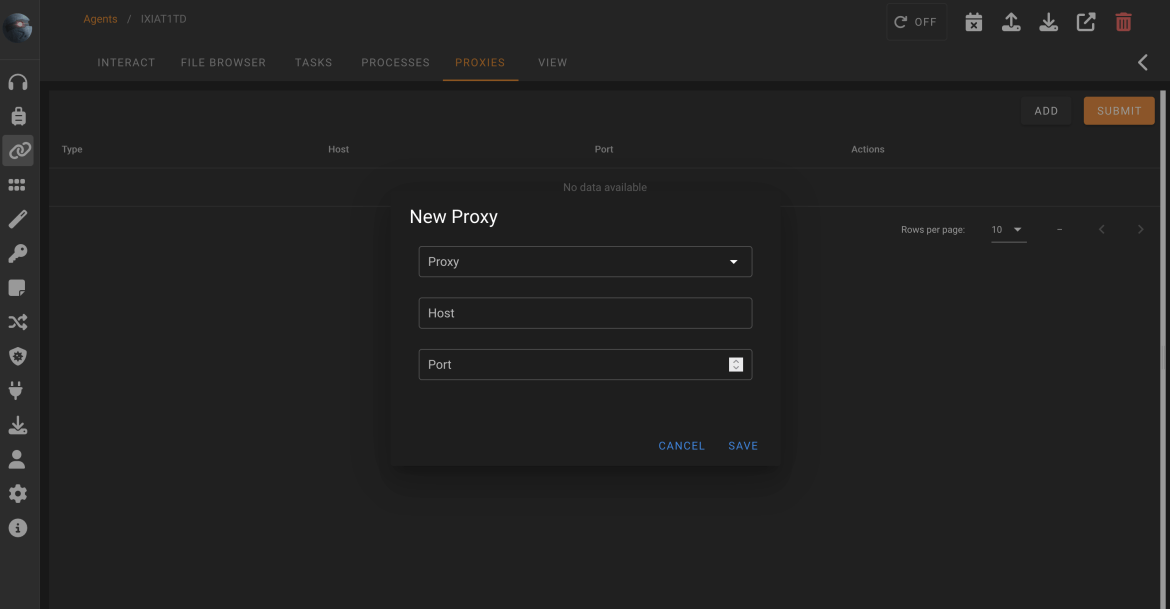
Sponsor feature – Proxy Management
In 4.2, Cx01N introduced the proxy feature to Python and IronPython agents. Now Starkiller’s agent page has a proxies tab for managing those proxies. Proxy management differs from the SOCKS Proxy as it sets the agent’s comms to be chained through a series of endpoints. Essentially allowing the agent to redirect without standing up extensive infrastructure.
Sponsor feature – Graph View
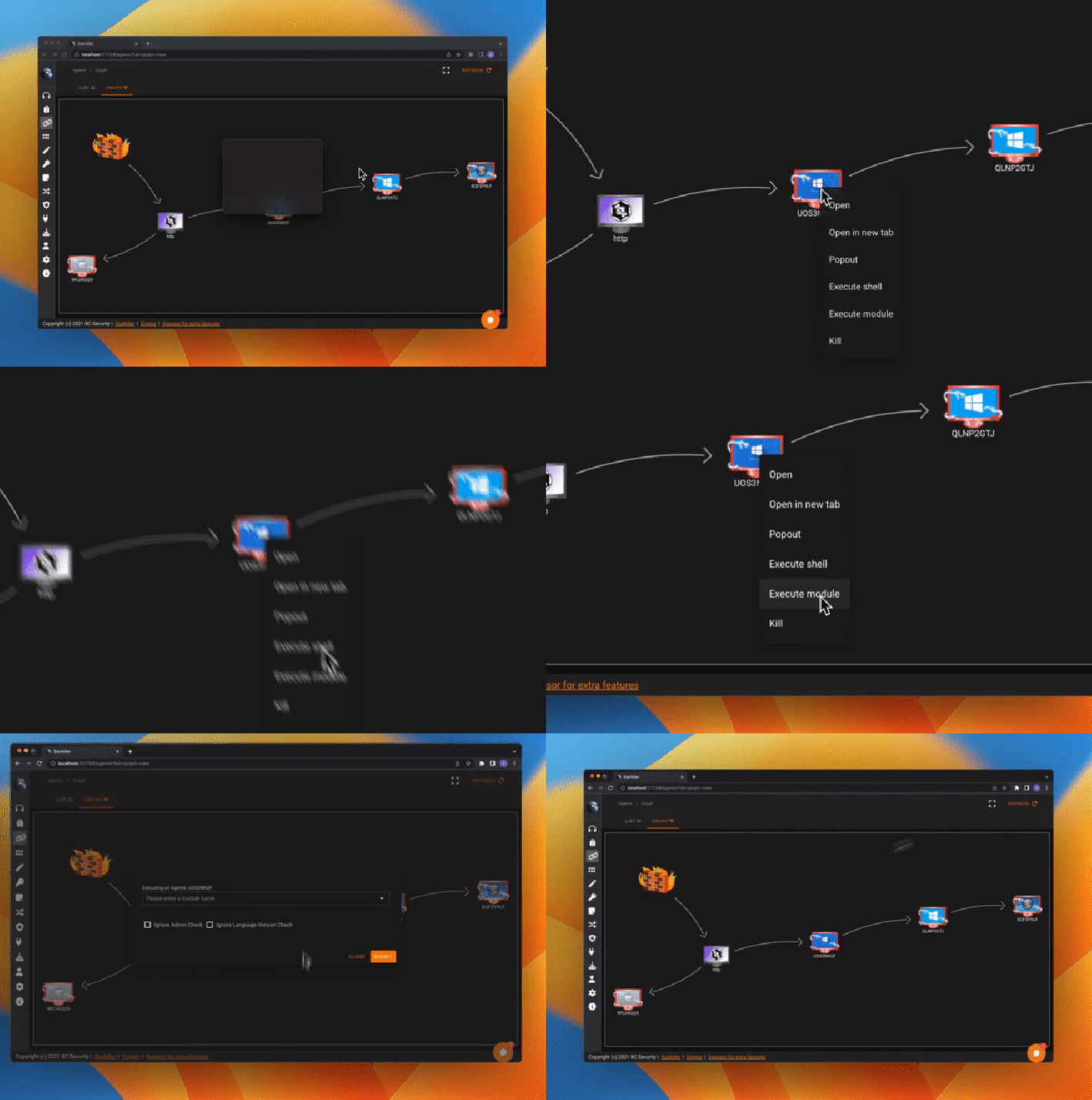
Who doesn’t love graphs? Starkiller’s agent page now has a graph view on top of the existing list view. It shows agents and listeners. Agents that are chained together via the port_forward_pivot listener or the upcoming SMB listener will appear chained to one another.
SOCKS Proxy
nvoke-SocksProxy has been integrated into Empire for a while and has had moderate success. However, there have been numerous instances that a fully embedded SOCKS Proxy would be needed. For this reason, we have added an in-band SOCKS proxy to the IronPython agent. This will start a SOCKS service on the agent and spin up a server within Empire. Use the command socks when inside an IronPython agent to leverage it.
Note: The socks command is currently limited to the Client and will be added to Starkiller at a later date.
Stageless Agents
The ability to load stageless payloads has been in Empire for a while but has been hidden behind a few menus and limited only to PowerShell agents. In 5.0, you can generate a stageless payload for any agent as long as it has the Staged option set to False. The best place to test these stagers out is with generate_agent or csharp_exe.
RunOF
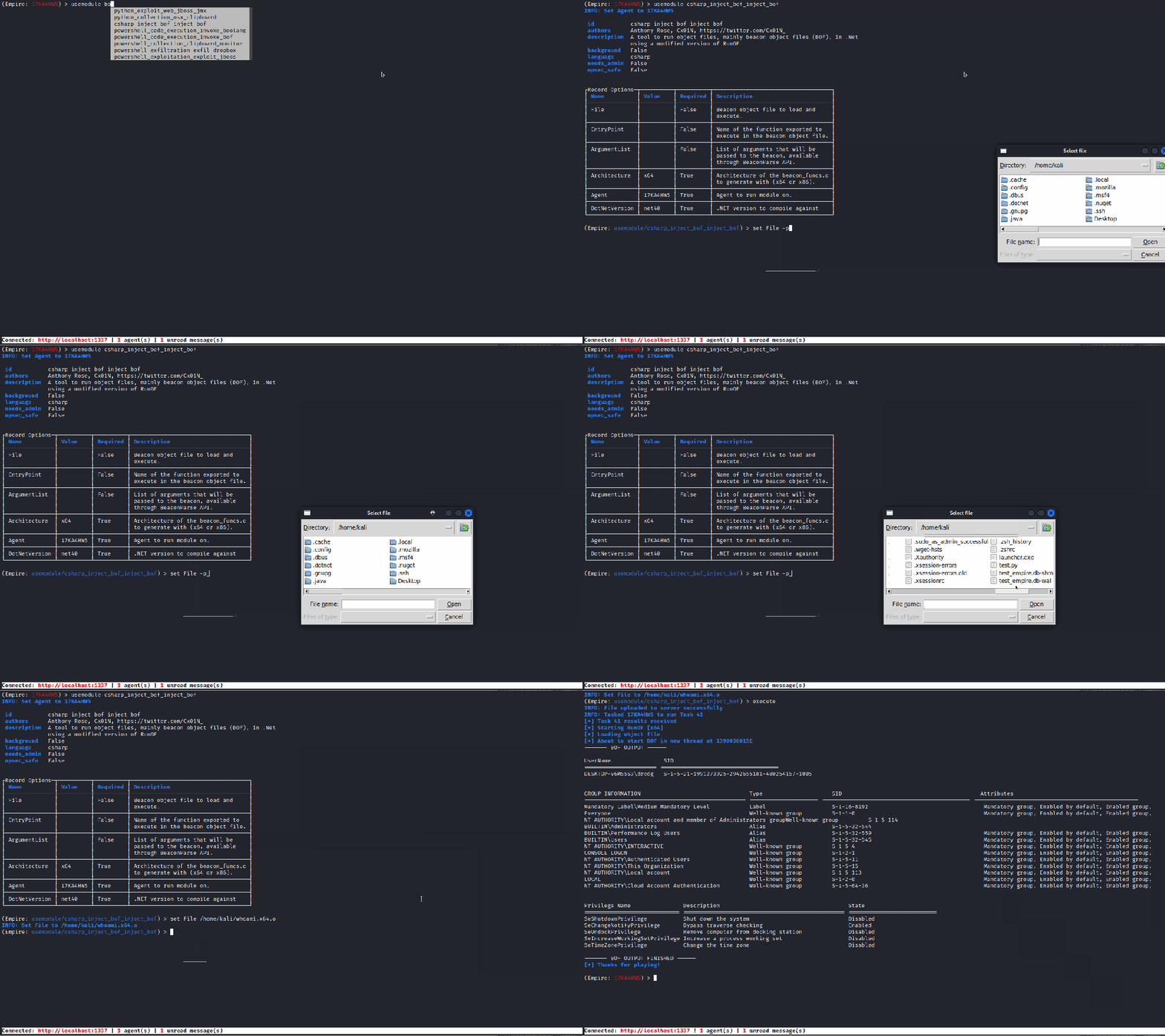
Empire 5.0 uses RunOF to execute Beacon Object Files (BOF) tools by default. The COFF standard defines object files in Windows. COFF files consist of sections containing code and data needed for execution, as well as symbols related to functions and variables that are either defined within the file or need to be imported. The sections of the COFF file need to be loaded into memory on page-aligned boundaries, and relocations must be resolved to update references to other symbols. The loader also implements an import address table to return function pointers to imported functions. The sections have memory permissions set as per the header flags, and the entry function is located to pass arguments to the BOF. Finally, the code is executed in a new thread, with a timer set.
Logs
There is now an individual log file per listener and log level output is configurable. Check out the logging documentation for more info.
Why spend so much effort building a new API?
The new REST API is built using FastAPI and allows us to automatically generate an OpenAPI Spec, auto-validate requests, and easily write tests against it. Doing this enables us not to have to write as much boilerplate code, avoid simple errors, and ensure better quality code overall.
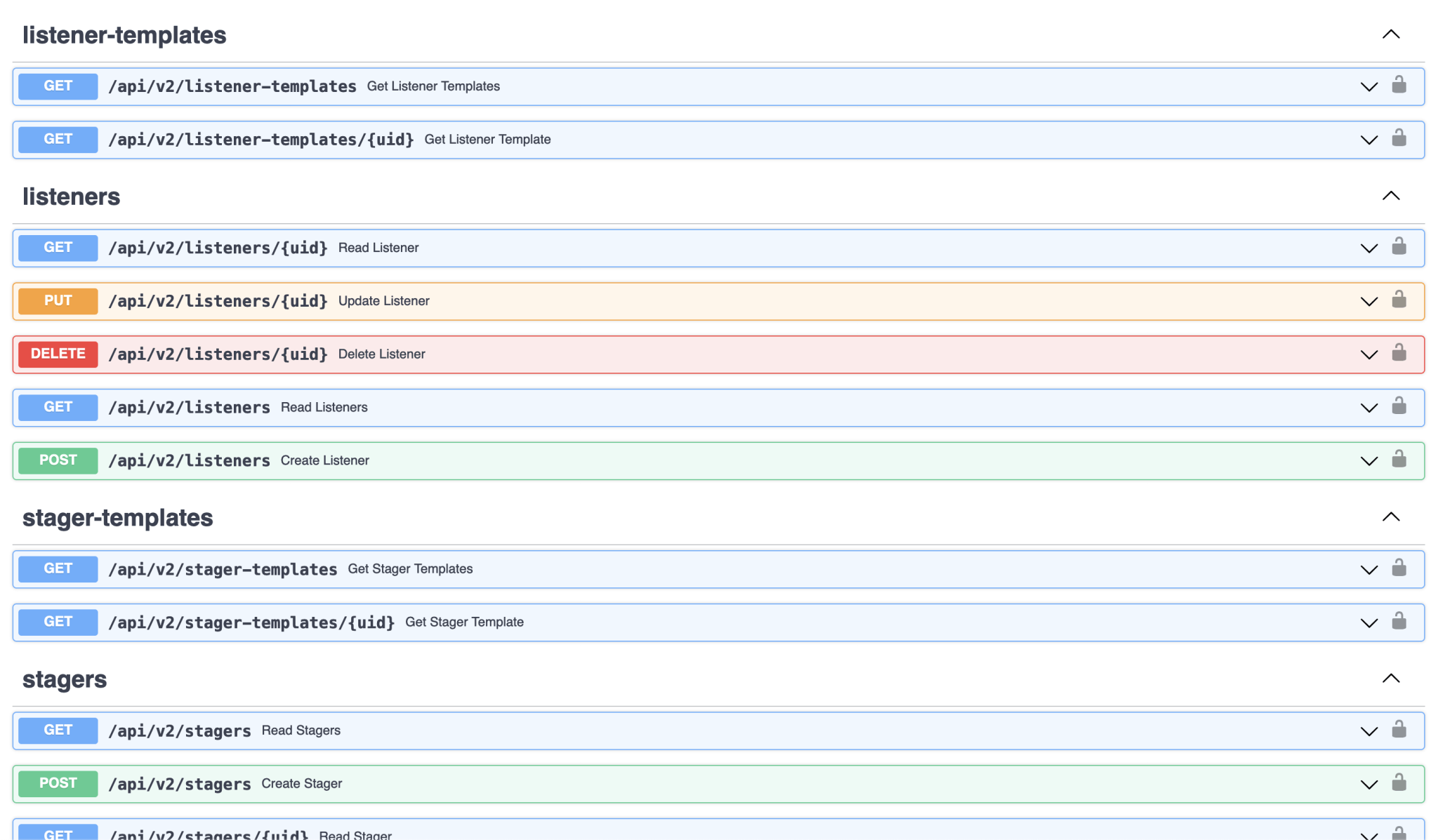
Building the new API also gave us a chance to standardize. The old API had a mix of conventions like snake_case, camelCase, and UPPERCASE. Developers utilizing the new API will have a much better overall experience. Since there is an OpenAPI Spec, you could even generate client libraries for your language of choice using OpenAPI Generator or import it into tools like Postman.
What can I do with it?
We hope that with a better documented API that has been well-tested, developers may feel more inclined to write tools on top of Empire. We’ve seen tools like Starkiller and Deathstar so far, and making the API easy to work with may encourage a new generation of automation on top of Empire. Everything you see in Starkiller or the client use the same Empire API.
How can I get started?
When you start up Empire, check out http://localhost:1337/docs for the Swagger UI, http://localhost:1337/redoc for the redoc UI, and http://localhost:1337/openapi.json for the OpenAPI spec. Supporting documentation for the new API can be found in the wiki. We can’t wait to see what you build!
Codebase refactoring
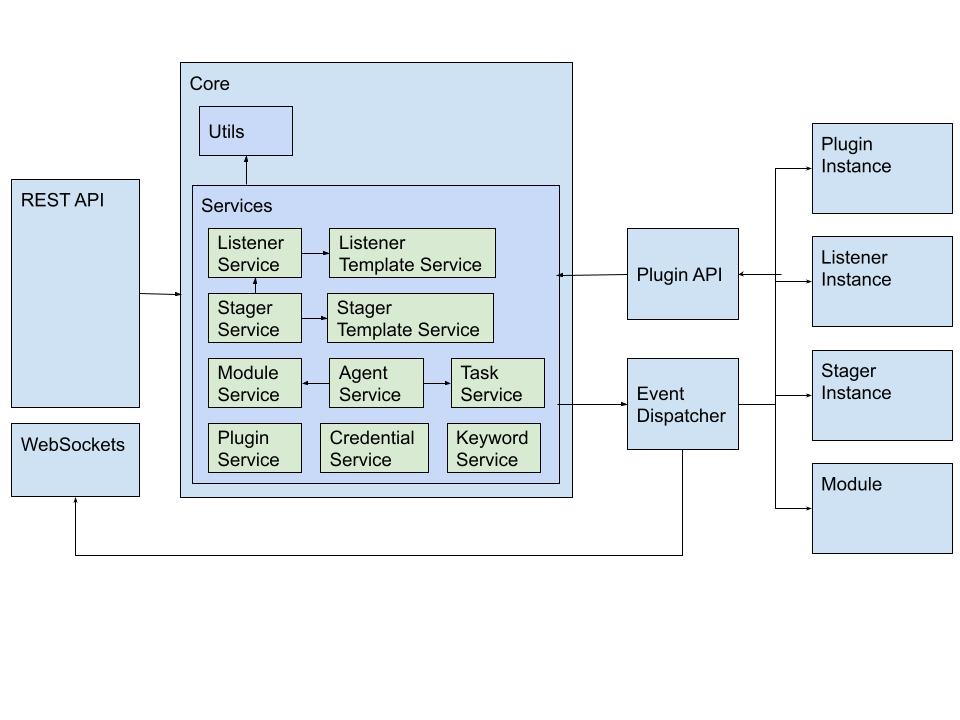
We started this effort toward the end of Empire 3.x and in 4.x. This effort is ongoing and will continue in 5.0. Modularizing and decoupling the codebase’s components is an effort to give us a foundation for easier feature implementation and testing.
General Software Best-Practices
We’ve slowly introduced structure and automation into our software development life cycle. In Empire 4.4, we introduced black and isort for consistent formatting of the codebase. In 4.5, Vinnybod wrote GitHub actions to help automate our release process. In 5.0, we added ruff to lint code.
In 5.0, Vinnybod began building out a test suite. We slowly started introducing a few tests to Empire 4.0 too, where it was easy to do so. Empire 4.0 had around 50 tests, while Empire 5.0 is now up to over 220 tests. Is everything tested? No. But the test suite at least gives us a bit of confidence that when we introduce changes, we are not breaking the common code paths of the REST API and some of the internal services. Over time, we will continue to introduce more tests to help with confidence in releases.
For a complete list of updates, check the changelogs for Empire and Starkiller. There was a whole lot of work that went into these releases and we have more planned with all this heavy lifting out of the way. If you find value in Empire and Starkiller, consider sponsoring the development for extra features and early access.
Ready to Transform Your Business?
Partner with our team of experts to unlock your business’s full potential. Schedule your free consultation and discover how we can help you.
Satisfaction Rate
Our clients consistently report high levels of satisfaction
Successful Projects
our team of consultants brings a wealth of expertise.
Years of Experience
Our strategies have generated over $50 million.